





























Laptop or Ipod into Balanced XLR Input...?
Posted: 14 July 2010
Synopsis: There are 3 things to note when plugging a "headphone level" signal from a laptop, Mp3 player or Ipod into a PA system via a balanced XLR microphone input. This type of input is often found on mixers, pre-amplifier's and all in one powered speakers...

Plugging a Laptop, MP3 or Ipod into a Balanced XLR Microphone Input
There are 3 things to note when plugging a "headphone level" signal from a laptop, Mp3 player or Ipod into a PA system via a balanced XLR microphone input. This type of input is often found on mixers, pre-amplifier's and all in one powered speakers. A balanced XLR microphone input will always be accompanied by a pre-amplifier as mic signals are weak and always need boosting before they are amplified.
1. Firstly, the output signal from your device will be a stereo signal. Two separate signals are being sent down the cable to the other end.
The mic input you wish to plug into, which will almost always be XLR, is sure to be a balanced input. To read more about what goes on in a balanced jack visit this link: Balanced Audio.
All you need to know at this stage, however, is that while the XLR input does receive two audio signals (the third pin is grounding), a process occurs in the receiving of the signals that inverts one of the signals, flips it on its head as it were, before combining them somewhere down the line in your speaker/mixer circuitry.
When a normal signal is combined with its inverted signal, the two signals will simply cancel each other out. When this is done with a stereo signal, the result is that the left part of the signal is transferred as normal, while the right is inverted. When these two signals are combined in your speaker system, anything that happens to be of equal volume in both left and right (panned center), will get cancelled out completely, and the closer to center it is in the mix, the quieter the resulting sound will be.
To avoid this you must first combine the stereo signal into a mono signal (transferred on only one conductor). To do this you will need a cable such as a 1/8" (3.5mm) stereo, to 1/4" (6.35mm) mono.
But that's not all…
2. The second issue you will have when plugging a music player or laptop directly into a mic input is a difference in voltages, or signal strengths.
Mic inputs on desks and speakers use what is a called a pre-amp to boost a mic level signal to the optimal strength for the transfer of electrical energy within the circuitry, also known as a circuit's unity. Pre-amps are the small variable gain knobs at the top of a mixing desk, and they are used because all mic's are made differently, and proximity to a sound being picked up also determines the signal strength before it reaches the desk.
The signal strength coming from a microphone is also very low because acoustic energy (sound) is very weak compared to electrical energy, and the very small vibrations of a microphone's diaphragm don't transmit through the cable with much strength at all.
Devices such as laptops and music players output what is called a line level signal. It is a signal that has a higher voltage than a mic level signal, simply because it can, and it means that the signal won't need to be boosted quite so much when its time to make some noise out of it, so there will be less overall unwanted electrical noise.
However when you plug a line level signal into a mic input, it doesn't mean that it will just be boosted more and therefore be way too loud. There is actually a drop in signal, because the line level has a different voltage to what the circuitry of the mic input is designed to receive, and therefore optimal transfer of electrical energy can't be achieved.
To achieve maximum transfer efficiency, a DI box (Direct Box) or an impedance transformer can be used to change the impedance or resistance of the incoming signal, resulting in a change in voltage to one that transfers better to a mic input.
3. The third issue is that XLR microphone inputs will generally only accept balanced signals. Plugging an unbalanced signal into a XLR mic input can damage your pre-amplifer and mixer. In the case where you have a mono line level signal, a DI box is the best option because as well as matching the impedance, it will also create a balanced output that can then be taken straight to the mixer using a standard XLR to XLR microphone cable.
In summary, what you will need to plug a laptop, Mp3 player or Ipod music player output into balanced XLR microphone input, is a cable to combine your stereo signal into mono, followed by a DI box to adjust the signal to the appropriate voltage, as well as creating a balanced signal that is acceptable for the XLR mic input.
All that being said, the cabling solution is much easier if you can avoid the XLR input and use a line level input with either RCA or 1/4" jacks. Most mixers have dual RCA inputs, often labeled "tape in", this is best way to connect an Ipod to a mixer and requires one simple 3.5mm to dual RCA cable.
Cables and boxes for the job
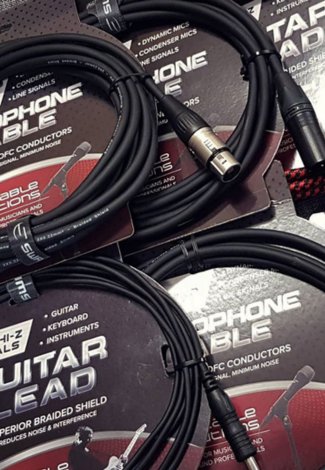
SWAMP stocks everything this connection needs: 3.5mm link and patch cables in Link - Patch Cables, plug converters in Audio Adapters, and DI Boxes to balance the signal and match it to a mic input.